
How to Create a Quick Checkout Link in Nexchar POS
At Nexchar, we understand how important it is for retailers to offer simple and fast online purchasing options—even without a full eCommerce website. That's why we introduced the Quick Checkout Link feature, designed by our experienced POS engineers to help businesses increase sales through social media, messaging apps, and email.
What is the Quick Checkout Link?
- Generate a unique online order page for any product.
- Share that link directly with customers.
- Let customers place orders with selected shipping and payment methods—without navigating a full online store.
This feature is trusted by small businesses and growing retailers using Nexchar every day to simplify order-taking.
Who is this for?
- Business owners who don't yet use a full online store.
- Sellers who promote on Facebook, WhatsApp, or Instagram.
- Retailers needing quick ordering links for popular or fast-moving products.
Step-by-Step Guide
1. Enable the Quick Checkout Link Plugin
To start using this feature:
- Go to Settings > Plugin.
- Locate the plugin named Quick Checkout Link.
- Click Install.
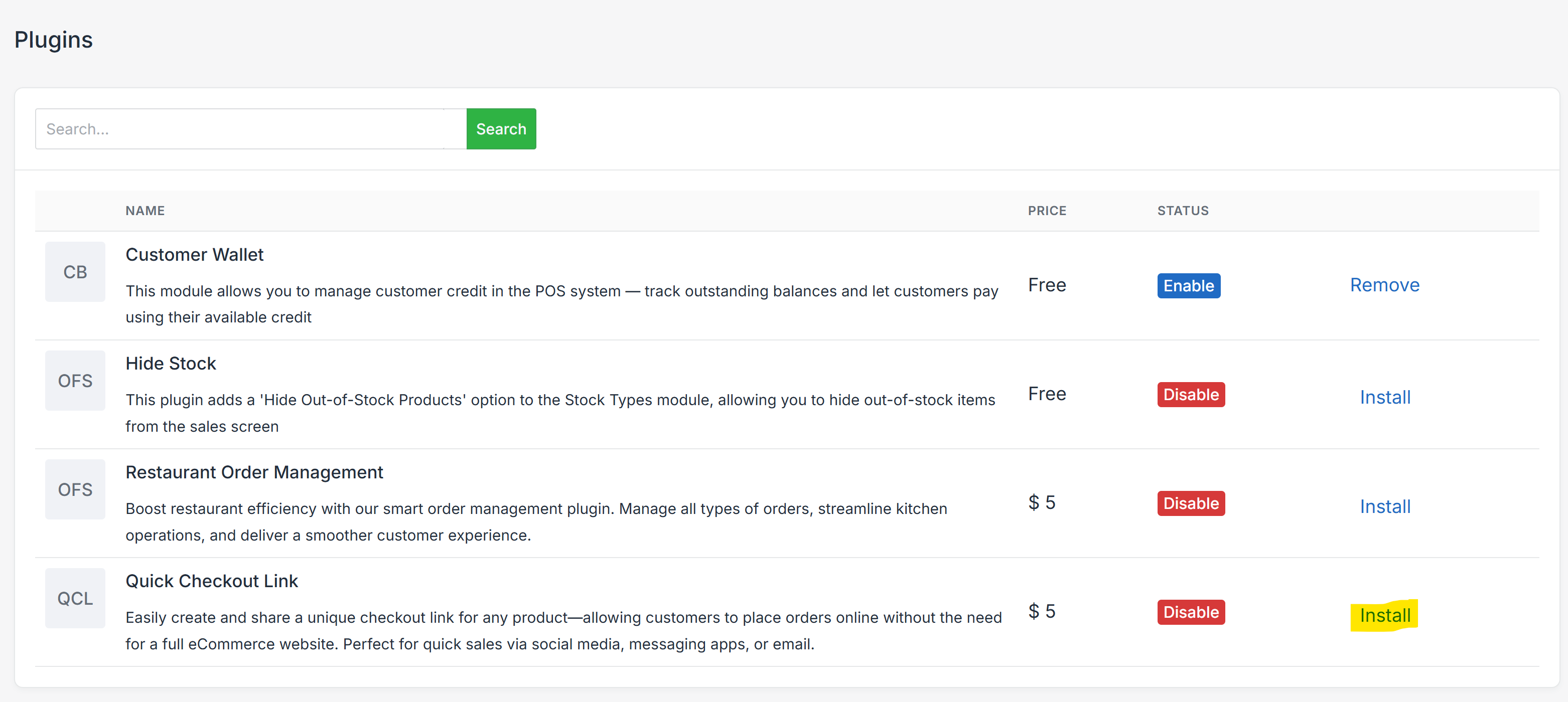
Once enabled, two new settings will appear in the Settings (Menu > Settings):
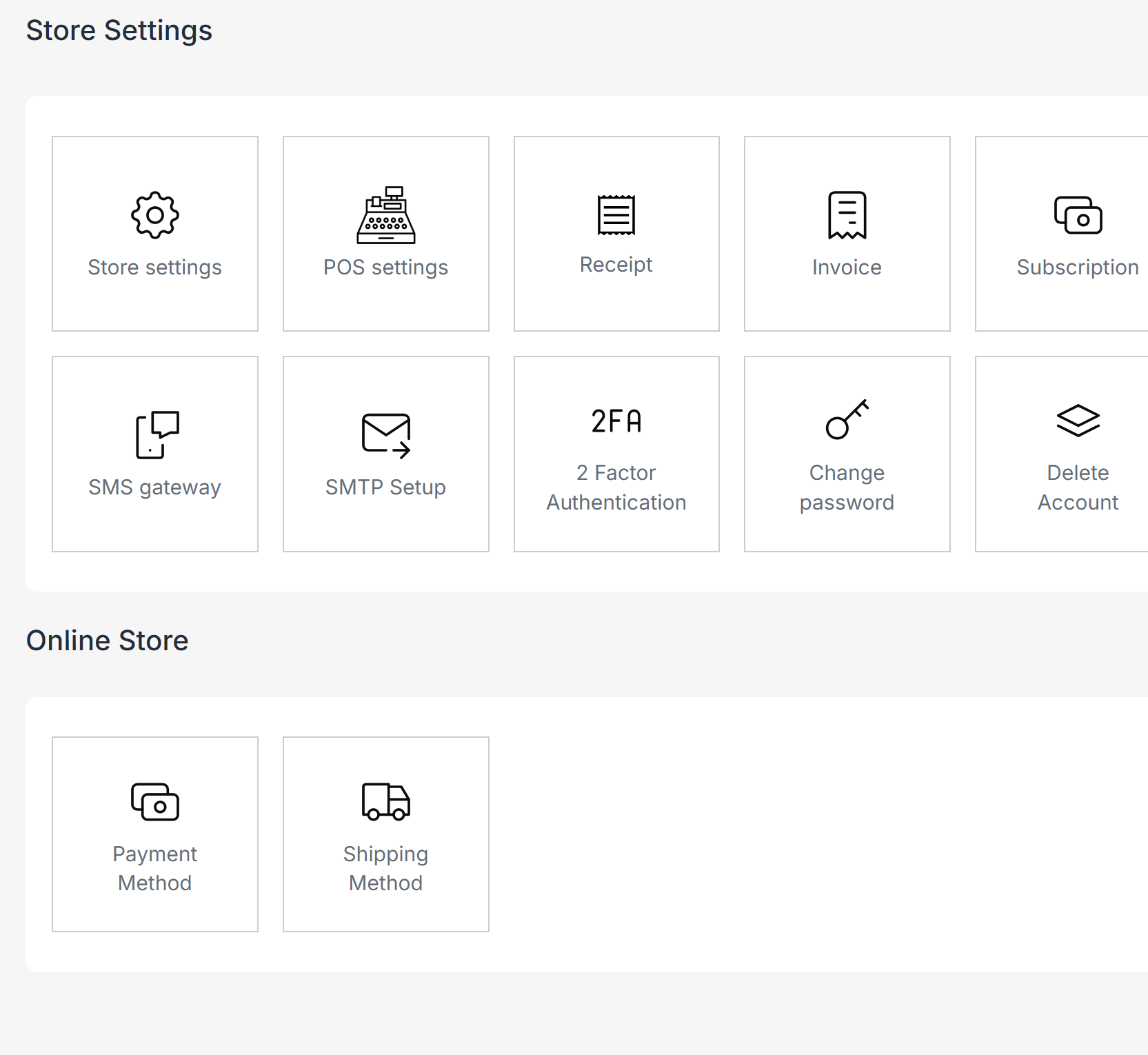
- Shipping Method
- Payment Method
Use these to define available options for your online customers.
2. Set Up Shipping and Payment Methods
After enabling the plugin:
- Navigate to Settings.
- You'll now see:
- Shipping Method – Add available shipping options (e.g., Home Delivery, Pickup).
- Payment Method – Add payment methods (e.g., Cash on Delivery, Online Payment).
3. Enable Online Checkout for a Product
To make a product available for online checkout:
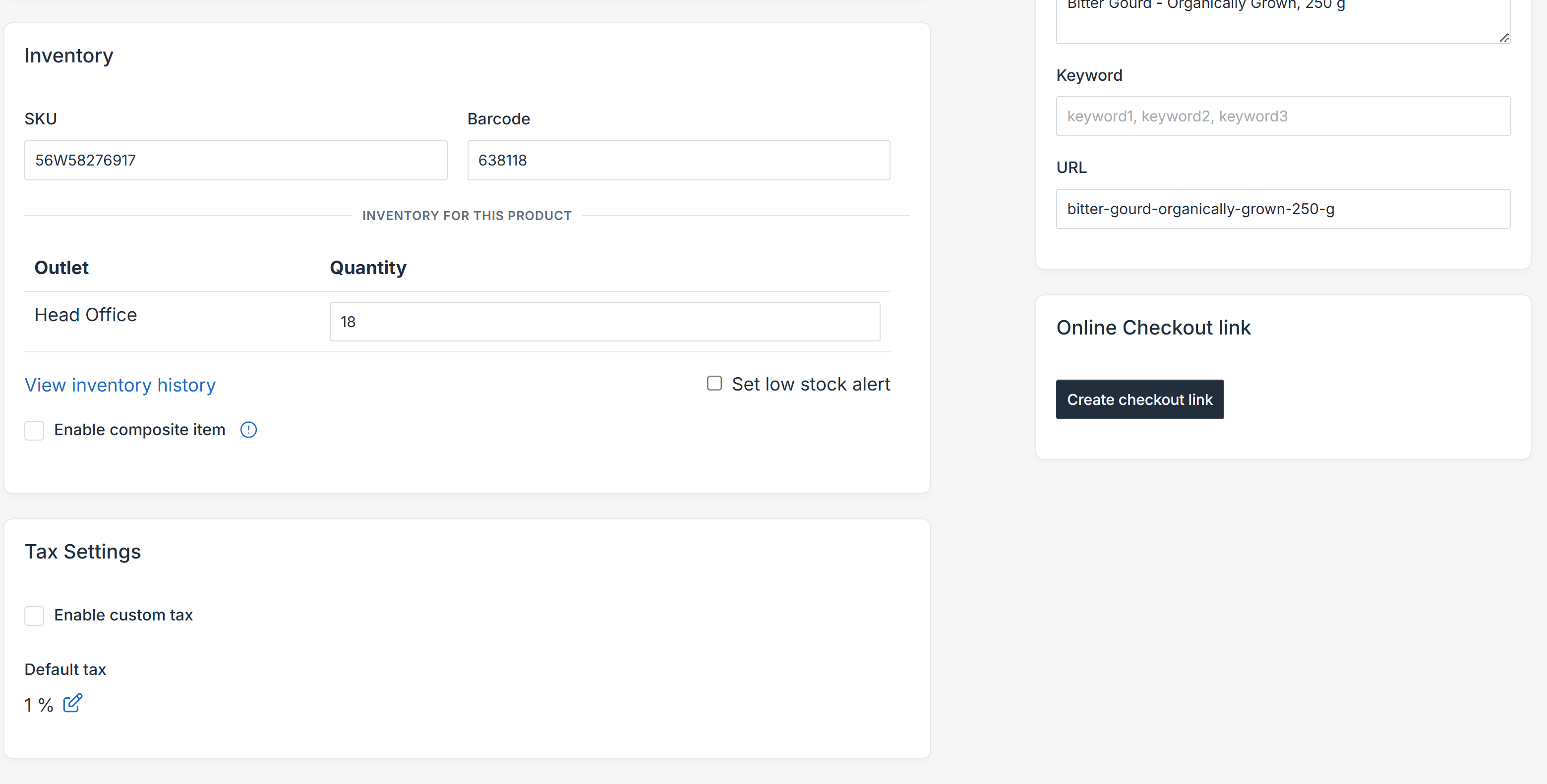
- Go to Product List.
- Click Edit on the product you want to share.
- Find the toggle Online Checkout Link and click Create Checkout Link.
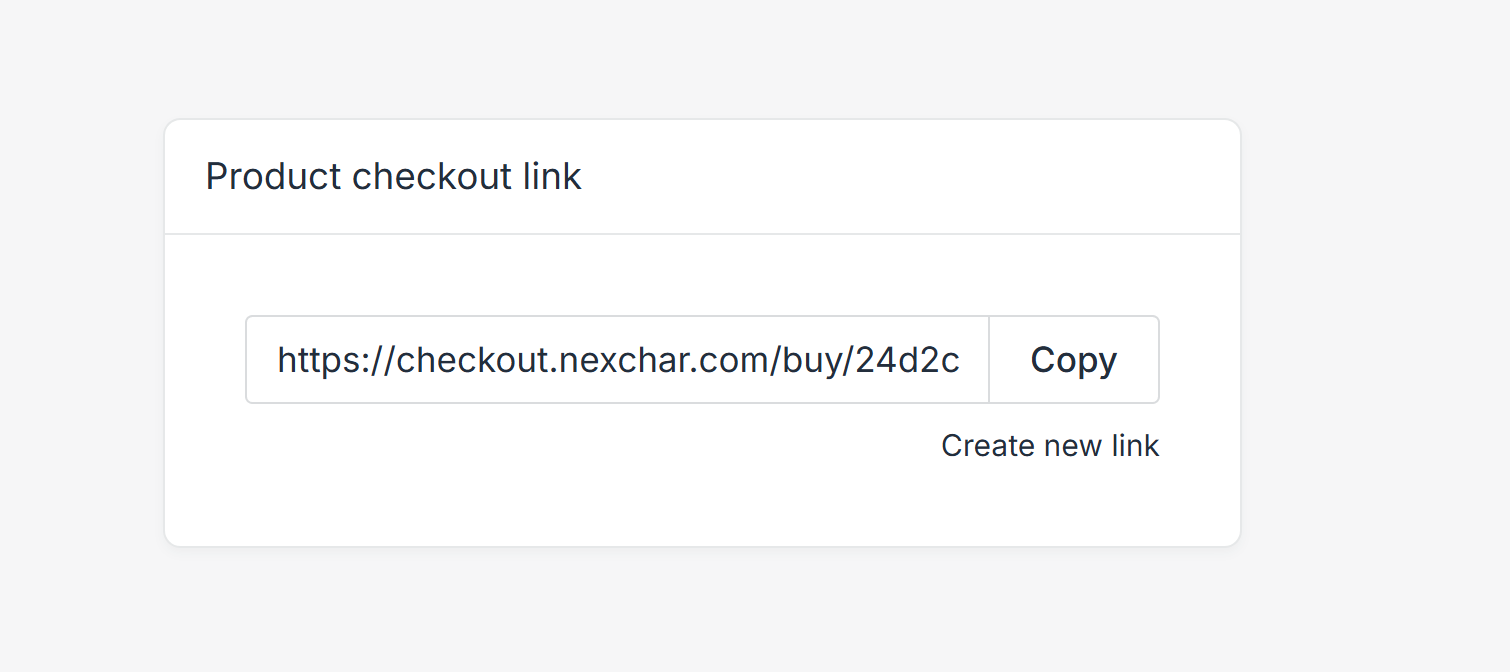
- Copy the link.
4. Share the Link
Once created:
- A unique checkout link will be generated.
- You can copy and share this link via:
- SMS
- Any other platform
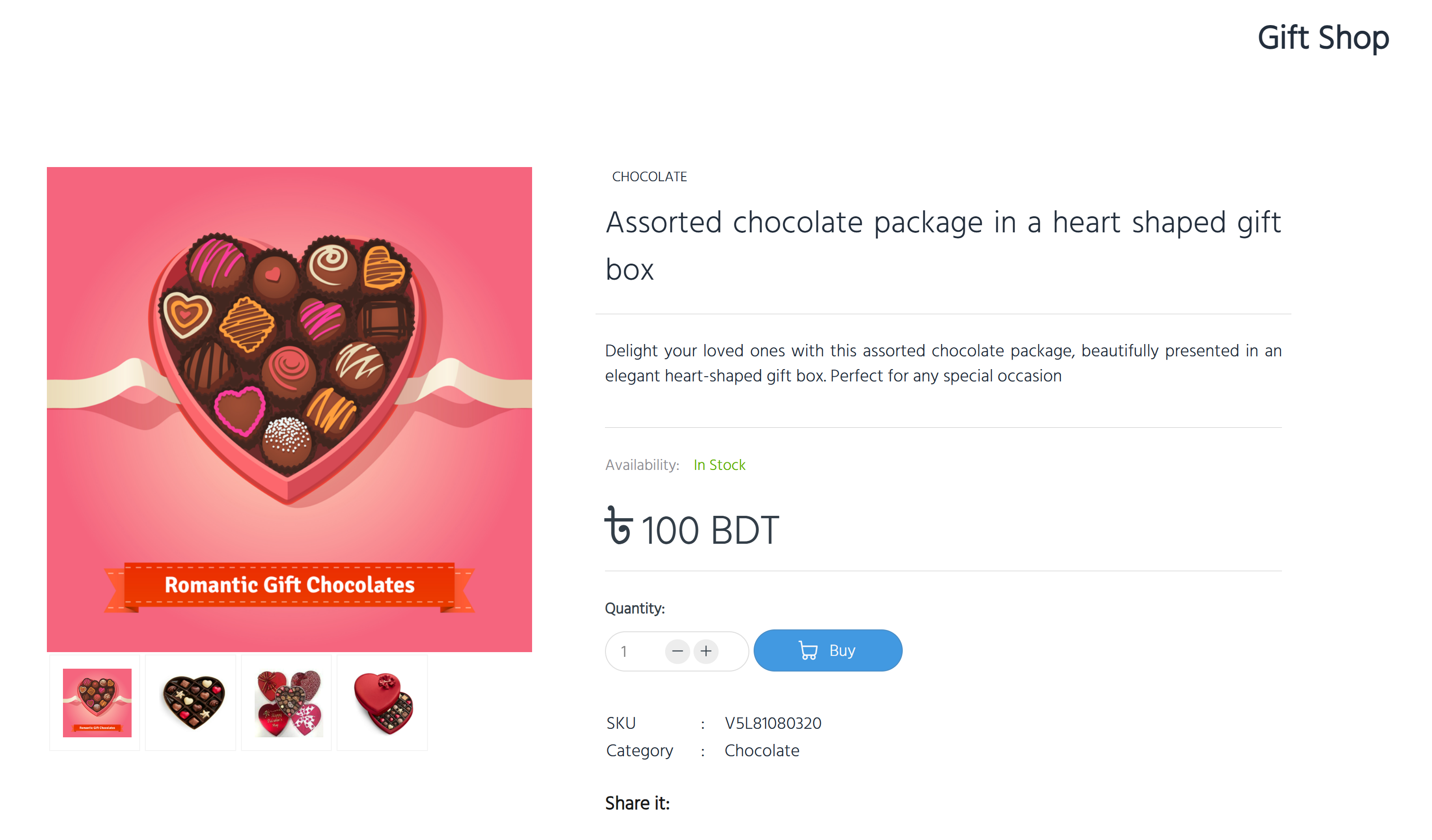
Customers clicking the link will land on a simple checkout page where they can:
- View the product.
- Select shipping & payment methods.
- Complete the order easily.
Notes
- You can create links for multiple products.
- Each product gets its own unique checkout page.
- You can disable a product's checkout link anytime by editing the product.