How to disable a staff profile
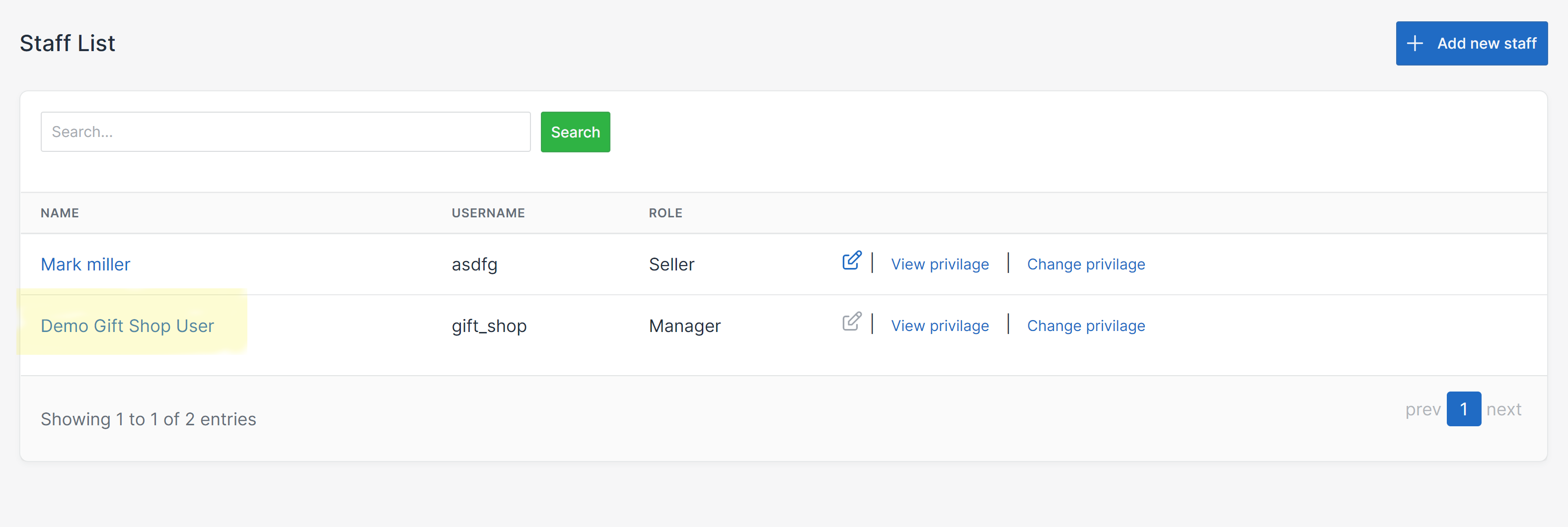
On the Nexchar management console, select Users from the menu and navigate to the staff screen. Click on the staff profile that you want to disable.
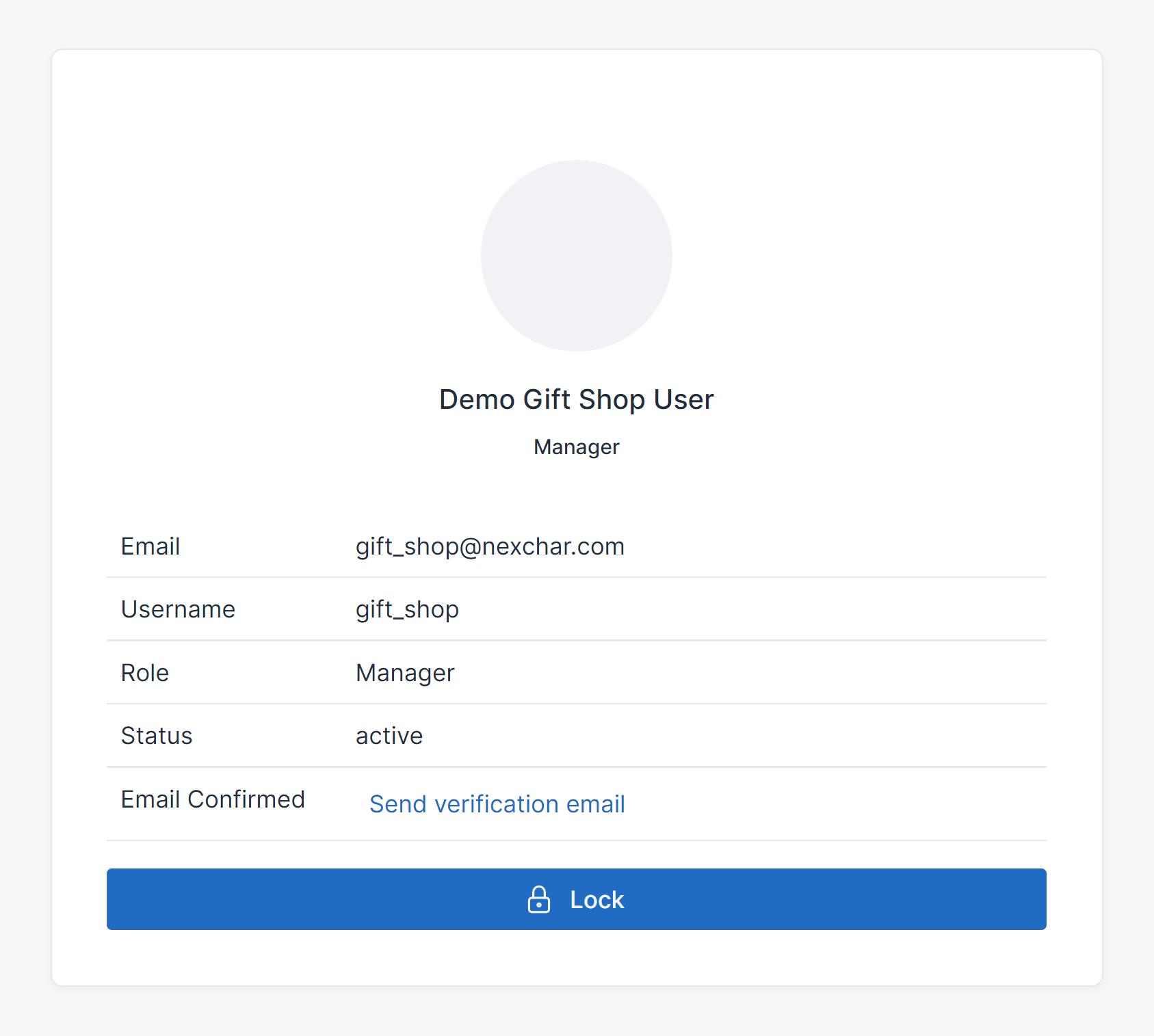
It will redirect you to the profile page.
Click the lock button to disable the staff account.